Saturday, December 16, 2023

Are you the next 500px Photographer of the Year?

Get ready to shine a spotlight on your best photos of 2023! The 500px Global Photography Awards are back for their third edition, offering you an opportunity to showcase your talent and become the next 500px Photographer of the Year. It’s the perfect competition to wrap up the year, and guess what? It’s entirely free to enter! With six captivating categories, the Awards has something for every photographer, from the zealous hobbyist to the seasoned pro. To level the playing field, we’ve introduced Hobbyist and Pro sections, ensuring everyone has an equal shot at claiming the title.

The Hobbyist section is crafted for passionate enthusiasts, students, or anyone who finds joy in photography as a fulfilling hobby.

The Pro section is designed for photographers who make a living from their craft, handle paid assignments, or even run photography-related businesses.

Ready to claim the title of 500px Photographer of the Year and leave your mark on the world of photography? Submit your best photos of 2023 now!

How the 500px Global Photography Awards work this year

Each category will have a Hobbyist and Pro winner and five finalists (12 category winners and 30 finalists total). The title “Photographer of the Year” will be awarded to one Hobbyist winner and one Pro winner, with amazing prizes to be won.

Submit your best photos from 2023 to be part of this global celebration of photography!

The Categories

Landscape

Landscape photography is one of the most diverse genres. There are a plethora of landscapes that can be captured, and each location can be photographed in intriguing ways depending on the time of day or vantage point. Nature is magnificent, and cameras have a special way of articulating that.

Submit your images that capture the spaces within the world—the vast and untouched terrains or environments.

Enter Now

Fine Art

Fine art photography doesn’t hold you back—it’s expressive and full of creative spins on the world around us. Whether by using props or post-production manipulation of colors, grain, or more, imagination is a strong weapon and delivers striking imagery.

Submit your images created as a means of expression, with an undeniable imaginative and aesthetic quality to them.

Enter Now

Technical,

Let’s get technical. That means sharp and in-focus, intentional manipulation of textures, and precise spacing of subjects. When done well, these images often feel easy—but they are the furthest thing from. Achieving a technically perfect image means mastering light, shapes, and more.

Submit your images considering lines, texture, color, size, and depth, resulting in a high-quality depiction of the subject.

Enter Now

Documentary

Documentarians help shape history. They tell the story of the underdog or the hidden narratives, they expose rich cultures and help awaken society to necessary change. The moment documented can be a moment that may be interpreted as simple, but through the lens, it becomes complex.

Submit your images that chronicle the world around us realistically and honestly.

Enter Now

Storytelling

When it comes to storytelling, a common mistake is to overcomplicate the elements within the frame. However, what will make a stand-out image is that the narrative is communicated and drives the audience to want to know more, in as simple a way as possible.

Submit your images that capture a moment, making viewers wonder what came before and what will come next.

Enter Now

Commercial Content

Commercial content allows brands and small businesses to connect with their audiences and is relatable and authentic when done successfully. Images need to stand out, feel genuine, and resonate with viewers as they see themselves reflected in some way.

Submit your images taken to sell, advertise, or market a business, a product, a service, a person, or persons.

Enter Now

The Awards and Prizes

The 2023 500px Global Photography Awards has more than $26,000 in prizes to be won! From cash prizes to stand-out gear from some amazing brands like Hasselblad, Xpozer, Joby, DJI, and Exascend.

Category Winners

Pro:

  • Cash prize of $500 US
  • Wavo PRO and Wavo AIR from JOBY
    The Wavo Pro is the ultimate professional on-camera microphone for creators and filmmakers. It can clean up background noise and LED lights notify you of low battery levels. High-quality modular and secure 2.4Ghz wireless audio transmission with a unique mounting system that adapts to your creativity with up to six hours of battery life. A fast pairing and easy-to-set-up process that works with your smartphone or camera straight out of the box.
  • 2TB portable SSD from Exascend
    Inspired by and purpose-built for taking on outdoor adventures. Its sturdy, IP67-rated alloy allows it to withstand impact, water, and dust, making the SSD an ideal companion for professional filmmakers working in the wild.
  • 24×36 print of winning photo and mounting system from Xpozer
    A razor-sharp, glare-free 24×36 inch print with an ultralight aluminum mounting system that allows you to easily click in and switch any new prints to help you celebrate your special moments.
  • One-year 500px Pro account
  • Global exposure via social media channels and 500px blog

TOTAL PRIZE VALUE OF $1,025 US

Hobbyist:

  • Cash prize of $250 US
  • Wavo PRO from JOBY
    The Wavo Pro is the ultimate professional on-camera microphone for creators and filmmakers. It can clean up background noise and LED lights notify you of low battery levels.
  • Osmo Mobile 6 from DJI
    Osmo Mobile 6 is an intelligent smartphone stabilizer packed with creative features. It’s compact and easily foldable to fit in your palm and launches automatically once unfolded to capture shots at a moment’s notice.
  • 24×36 print of winning photo and mounting system from Xpozer
    A razor-sharp, glare-free 24×36 inch print with an ultralight aluminum mounting system that allows you to easily click in and switch any new prints to help you celebrate your special moments.
  • One-year 500px Pro account
  • Global exposure via social media channels and 500px blog

TOTAL PRIZE VALUE OF $1,025 US

500px Photographer of the Year

Pro:

  • Hasselblad X2D 100C medium format digital camera and lens combo
    An unrivaled merge of form and function—the X2D 100C establishes itself as Hasselblad’s flagship mirrorless medium format camera. A 100-megapixel CMOS sensor and advancements in image quality, focusing, stabilization, responsiveness, and storage, are built into the iconic Scandinavian design. The X2D 100C combines groundbreaking engineering with a craftsman’s touch.
  • ‘500px Photographer of the Year’ badge

TOTAL PRIZE VALUE OF $13,000 US

Hobbyist:

  • DJI Mavic 3 Pro Fly More Combo
    The DJI Mavic 3 Series features next-level imaging performance. Mavic 3 Pro’s triple-camera system ushers in a new era of camera drones by housing three sensors and lenses with different focal lengths. Equipped with a Hasselblad camera and dual tele cameras, Mavic 3 Pro is a triple-camera drone that unlocks new shooting perspectives, allowing you to embrace creative freedom further, capture fascinating scenery, explore photographic storytelling, and make cinematic masterpieces.
  • ‘500px Photographer of the Year’ badge

TOTAL PRIZE VALUE OF $3,000 US

All category winners and finalists (30) will receive a beautiful 24×36 print of their winning photo and a mounting system from Xpozer.

How to Enter

Review the six categories that you can enter (at no charge to you) for this year’s awards. Once you’ve familiarized yourself with what our editors will be looking for, revisit your archive of images taken in 2023 and cull them with intentionality. You can submit any images that you’ve uploaded to the 500px site since January 2023, or upload new work to your profile to submit.

Please only submit your work to the appropriate skill level to keep the competition fair. Our editors will be using a keen eye and their best judgment to curate, but your honesty when submitting is appreciated.

ENTER THE 500px GLOBAL PHOTOGRAPHY AWARDS

Not on 500px yet? Sign up here to explore more impactful photography.

The post Are you the next 500px Photographer of the Year? appeared first on 500px.

[NDN/ccn/comedia Links]

Tuesday, December 5, 2023

Unveiling the next chapter: A fresh look at 500px

Exciting times are upon us as 500px introduces a new update, marking the debut of a fresh look and feel—a V1 of our evolving platform, if you will. This sleeker, smarter, and more tailored experience is crafted with you in mind, aiming to enhance your photography journey.

Embarking on this journey, we want to be transparent with you. Consider this a public beta of sorts; we’re aware that there may be kinks that need polishing. Rest assured, we’re committed to a process of continuous improvement, iterating quickly to refine your experience.

In this new phase, we’re experimenting with the latest technology, staying current to provide you with innovative features. Your insights matter to us, and we welcome your feedback as we navigate this evolution together.

So, without further ado, let’s explore the changes, knowing that this is just the beginning of an exciting chapter for 500px.

‘For You’ feed

For You Feed

The new For You feed taps into the magic of AI, understanding your likes, views, searches, and more. It’s not just about what you’ve liked before; it’s about broadening your horizons. We’re keeping up with the times to ensure you find the most interesting and inspiring content, tailored to your interests, effortlessly. Your feed gets refreshed every day, so you get a curated selection, just for you, without feeling overwhelmed. It’s all about tailoring your experience to give you content we think you’ll enjoy without the endless scrolling.

And guess what? Choices are on the menu! Opt for “Daily Dose” to mix it up with Mood Galleries, other photographers’ Galleries, and activities from those you follow. The photos in the For You feed are mainly from photographers you’re not following yet, but whose content we think you’ll love. If you’re here for the photos only, we’ve got you covered with the “Photos Only” option for an exclusive focus on amazing photography.

‘Following’ feed

Ah, the reliable classic. The Following feed does exactly what it says on the label. It’s your go-to for staying in the loop with the latest photos from the photographers you follow.

‘Explore’ feed

Explore Feed

Say hello to the revamped Explore feed, offering curated categories like the classics Popular, Fresh, and Editors Choice, along with exciting new additions, Featured Galleries, Mood Galleries, Photo Stories, and Featured Photographers. We’re making it easier for you to discover incredible content. Let’s break down some of the new additions you’ll see in your Explore Feed:

Mood Galleries
Presenting Mood Galleries, a creative blend of AI and curated content. Think of it as your mood-based playlist for photography. It opens new avenues for content discovery, enriching and enhancing your exploration experience.

Photo Stories

Photo Stories

Introducing Photo Stories, a fresh approach to sharing captivating visual narratives through a series of photos. We’ve been brewing this idea for a while, and we believe it’s set to elevate how you connect with your audience. Create and share your own Photo Stories or explore and discover them from others. And who knows—your Story might just get featured on the Explore feed!

Featured Photographers
Eager to follow and draw inspiration from more photographers? The Featured Photographers section is your go-to destination. Here, you’ll discover photographers handpicked by 500px Editors, individuals we believe you should definitely follow. The featured photographers showcase a diverse range of styles and categories.

AI search

AI Search

Effortless Discovery Unleashed
Discovering the perfect image is now effortless with our upgraded AI search, empowered by advanced natural language processing. This exciting feature streamlines the search process, ensuring accurate and efficient results for the visual gems you seek.

To maximize its potential, describe what you’re looking for, just like chatting with a friend. For example, search for “friends on a scenic fall hike with their dog.” Our smart search comprehends and delivers the exact photos you need. Immerse yourself in simplified exploration with enhanced search capabilities.

New photo details page

Photo Detail Page

Experience a refreshed photo details page, with streamlined functions and essential information brought to the forefront, minimizing scrolling. Discover even more amazing content with the addition of ‘similar photos.’ The updated page offers a better-looking, easier-to-use experience tailored to meet your needs.

Here’s to the beginning of something incredible! This upgrade is just the start. Get ready for a wave of new features as we strive to make 500px the go-to hub for photographers worldwide. Your creativity fuels our passion—let’s continue to build the #1 global photography community together!

Not on 500px yet? Sign up here to explore more impactful photography.

The post Unveiling the next chapter: A fresh look at 500px appeared first on 500px.

[NDN/ccn/comedia Links]

Check out our 25 top-selling Licensing photos featuring animals

Animal enthusiasts, get ready to be awestruck—we’re diving into the 500px Licensing collection and highlighting the 25 top-selling Licensing photos that feature animals. These images aren’t just stunning shots of our furry and feathered friends; they also present powerful themes of connection, family, support, and our relationship with nature.

Not only creative and visually dynamic, but these photos also have all proven themselves to be valuable additions to their photographer’s portfolio, and are great examples of how animals can be used to convey a variety of themes and emotions.

Without further ado, here are the 25 top-selling 500px Licensing photos featuring animals!

Check out our Licensing Quests for opportunities to win prizes with your Licensing submissions.

Not on 500px yet? Click here to learn about Licensing with 500px.

The post Check out our 25 top-selling Licensing photos featuring animals appeared first on 500px.

[NDN/ccn/comedia Links]

Saturday, December 2, 2023

Let’s get festive this Questmas!

This time of year means one thing at 500px… that Questmas is here!

Questmas is a set of photography challenges (Quests) framed around 12 different themes. All photographers are welcome to submit their images to any of the Quests for the chance to win—regardless of skill level. Simply read the brief for each theme listed below, enter by submitting photos that adhere to the guidelines, and you could be the lucky recipient of amazing prizes.

12 days. 12 Quests. 12 prizes.

This year, we have sponsors supplying high-quality prizes that will allow you to grow as a photographer and develop your skills. Need a lens? Got you covered. A bag for your gear? Sorted. A tripod for your photography adventures? There’s a prize for that too! And so much more.

The Quests and prizes

Minimalist

Prize details: TAMRON 20-40mm for Sony mirrorless
Driven by a determined quest for portability, the 20-40mm F/2.8 Di III VXD (Model A062) is TAMRON’s innovative, fast-aperture Sony E-mount zoom lens that will change your mind about standard zooms.

Join the Minimalist Quest

Adventure

Prize details: Lotus 4 CORE Pack bundle
The Lotus 4 CORE bundle combines speed, agility, and Mountain Series capabilities in a streamlined 28-liter profile. When paired with a removable f-stop Camera Insert, the Lotus 4 CORE is configurable for any photographic adventure with the flexibility to pack other travel essentials. An internal aluminum frame and multi-point suspension system distribute weight evenly for comfort while moving.

Join the Adventure Quest

Nature

Prize details: Befree Advanced GT black aluminum 4 section with ball head
The Manfrotto Befree GT travel tripod with a ball head is the ideal solution for professional photographers who need superior performance when traveling. Befree GT is the most professional solution in the wide range of Manfrotto travel tripods. It’s the perfect combination of portability—just 43cm when closed—and impressive stability, ensuring flawless, effortless operation even with a 12kg load.

Join the Nature Quest

Streetlife

Prize details: Vanguard Urban Kit: VEO 3T+ Travel Tripod with multi-angle center column, VEO City crossbody bag & VEO SPH smartphone holder bundle
The Vanguard Urban Kit is perfect for city, street, or adventure photographers and videographers, but it also suits practically any content creator, outdoors or indoors. Get a VEO 3T+ 234AB aluminum travel tripod w/ multi-angle center column and dual-axis ball head, a VEO CITY CB34 NV crossbody camera bag, and a VEO SPH smartphone holder—and save over $200 when you buy them all together!

Join the Streetlife Quest

Landscape

Prize details: NiSi 15mm F/4 Lens + mount
A manual focus design with one aspherical element and two extra-low dispersion elements. Mounts with ease on a wide variety of mirrorless full-frame systems.

Join the Landscape Quest

Perspective

Prize details: Gift card with a $250USD value from Moment

What started off as a Kickstarter in 2013 making gear for phones has evolved into so much more than that. Moment is the Marketplace for everything creative — gear, courses, presets, even trips. You can apply this prize to get some of that gear you have had your eye on. This could be your moment to shine!

Join the Perspective Quest

Animals

Prize details: ProGrade Digital CFexpress ™ Type B 4.0 memory card and ProGrade Digital CFexpress Type B Single-Slot Card Reader | USB 4.0
ProGrade Digital has developed its new CFexpress™ Type B 4.0 Gold class memory cards with next-generation performance with your DSLR and mirrorless cameras to store all your favorite images. The ProGrade Digital Single Card Reader is then the perfect solution to transfer your stored images to your preferred viewing device, and is USB 4 compatible.

Join the Animals Quest

Emotions

Prize details: Godox AD100pro Pocket Flash 
The AD100Pro Pocket Flash from Godox is a compact speedlight with a removable lithium-ion battery that gives you up to 360 full-power flashes and thousands of lower-power flashes.

Join the Emotions Quest

Abstract

Prize details: 3-year membership with Photography Course Net
Frame Your Passion with the chance to join premium courses and challenges, connect with experienced photographers, and learn how to improve ANY kind of photography.

Join the Abstract Quest

Reflection

Prize details: Trio 28 ultra-compact 28mm, fixed f/3.5 lens
The Lensbaby Trio 28—a versatile lens that effortlessly combines creativity and innovation to transform your photography experience. Designed for the modern photographer seeking artistic expression, this lens is a game-changer in the world of photography.

Join the Reflection Quest

Architecture

Prize details: x 2 Fractal Filters Classic
These prismatic camera filters can augment your photos slightly or create kaleidoscope-like effects. Fractals adapt to your ever-changing shooting habits, shooting style, and environment. The patented PrismaLed optics give photographers more brilliant reflections than normal glass.

Join the Architecture Quest

Contrast

Prize details: The PRO Vlogger Kit
The most advanced on-camera mic meets the strongest GorillaPod for a truly PRO-level vlogging kit.

The microphone: Background noise is eliminated while built-in LEDs notify battery and audio levels in real time. Sound can be managed in detail and quickly when used in unison with the app sound can be managed quickly. At the same time, a second microphone has you all set for any interview scenarios. The GorillaPod: Premium, flexible legs & ball head secure pro camera gear.

Join the Contrast Quest

Join the Questmas adventure!

Not on 500px yet? Click here to learn about Licensing with 500px.

The post Let’s get festive this Questmas! appeared first on 500px.

[NDN/ccn/comedia Links]

Wednesday, November 15, 2023

Pixels to Inches: How to Resize Images Without Losing Quality in Photoshop

Instagram photos look best at 1080 pixels wide. Pinterest images shine at around 1000×1500 pixels. A Facebook photo should be at least 1200 pixels wide—1920 if it’s an event photo. In 2003, when 500px launched, the perfect web-resolution was, well, 500 pixels. Now, it’s best to upload your photos with a resolution of at least 2048 pixels.

The web is constantly evolving, and for photographers, that means regular image resizing. While you can resize your photos using a variety of quick online tools, we recommend doing it with care and precision so you don’t damage the quality of your files. Here are our tips for resizing your images without losing any details in the process.

Knowing the vocabulary

First, it’s important to understand the terms that will be used in this article.

Dimension

The dimension of a photo is essentially the measurement of its length and width. Depending on what you’re using your photo for, you may need to see this measurement in pixels, inches, or centimeters. There are many standard sets of dimensions that you’re probably familiar with; for example, your old family photo albums are probably full of standard 4×6 inch prints.

Resolution (Pixel Density)

The resolution of a photo refers to how many pixels there are within those dimensions. (Therefore, the pixel density of the photo.) The smaller those pixels, the more of them you can fit within your dimensions and, in most cases, the sharper your image will appear.

DPI and PPI

DPI (Dots Per Inch) and PPI (Pixels Per Inch) are the two terms that describe your image resolution. Although you may hear them used interchangeably, DPI refers to print resolution (as in, the number of ink dots per inch) while PPI refers to screen resolution (or how many pixels in an inch when your photo is viewed at 100%).

File Size

File size refers to how much space or memory your photo takes up. The more information there is in an image, the more memory it requires, and the bigger the file size. “Information” can refer to pixels, which means a higher resolution may give you a larger file, or it can refer to things like layers if you are saving in a non-destructive file type.

Aspect Ratio

Aspect ratio is often confused with dimension because they’re closely related. Your dimension, as we just discussed, describes the length and width of your image in terms of measurements. Your aspect ratio describes that length and width in terms of—you guessed it—a ratio. Those 4×6 inch family photos we just talked about have an aspect ratio of 3:2.

Why is resizing images important?

Resizing is a daily part of a professional photographer’s workflow. Even if you are not going to print your image, your website or online portfolio will probably have requirements for the file size and resolution that an image must be in order to be uploaded. Depending on where your image will appear, you may want to use a specific aspect ratio (a hero image will require a different aspect ratio than an Instagram post).

If you do not resize to fit those requirements, the hosting site may refuse to upload it altogether, or worse, compress or distort your photo. The process of resizing the dimensions of a photo and/or changing its resolution and file size to prepare it for the web is called image optimization.

How to resize in Photoshop for beginners

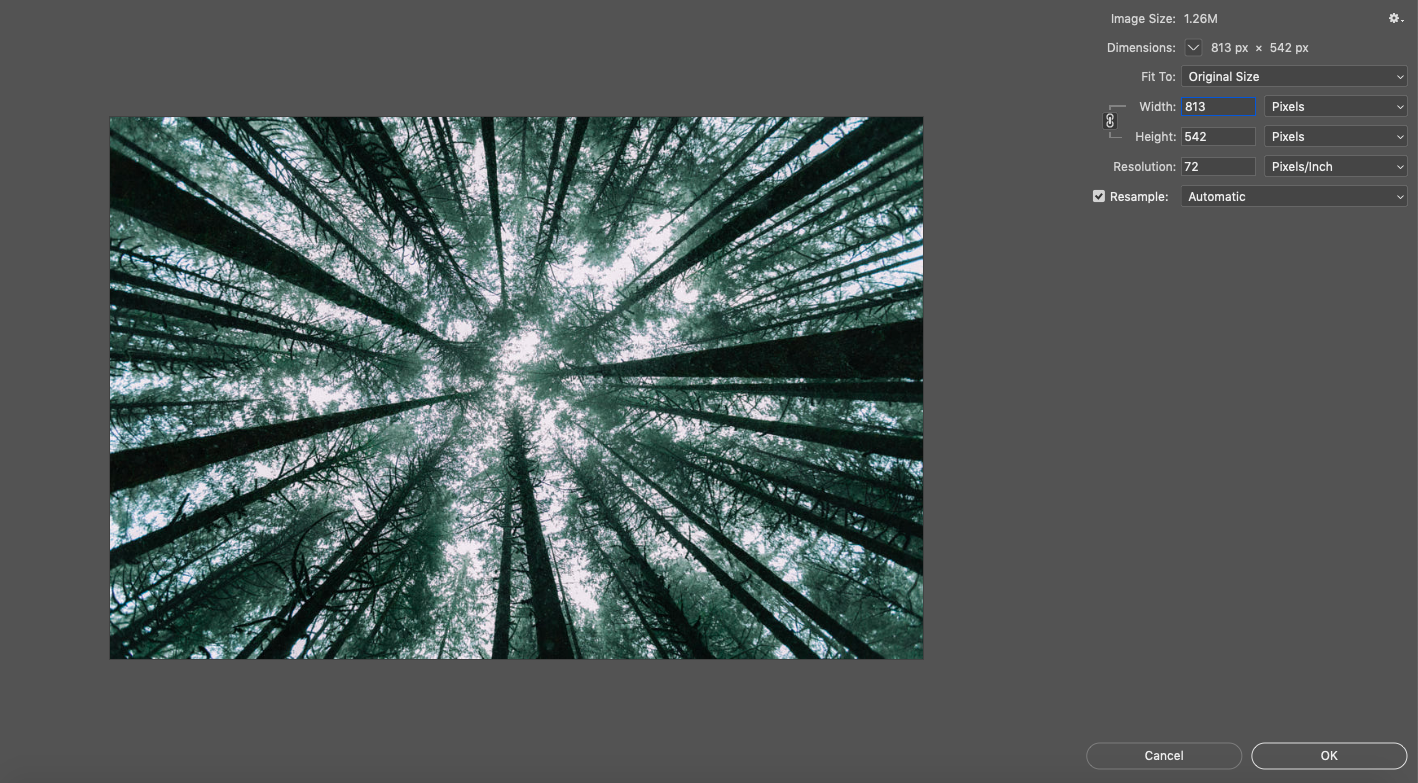
Resizing in Photoshop is a relatively simple process. Start by going to Image > Image Size.

Here you’ll see all that vocab we just covered. Your file size (Image Size) is right there at the top. Below it are your dimensions.

If you want to convert pixels to inches or need to do the opposite and convert inches to pixels, simply select a new unit of measurement from one of the dropdown menus on the right. Last is the image resolution, which is measured in PPI or DPI. In theory, you can just set these numbers however you like and click “OK.” In practice, it’s not always that easy.

An image being resized in Photoshop

Above, we’re resizing Forest Sky, a piece by 500px Contributor Kalen Emsley, as an example. You can see the “Image Size” dialogue box we just described.

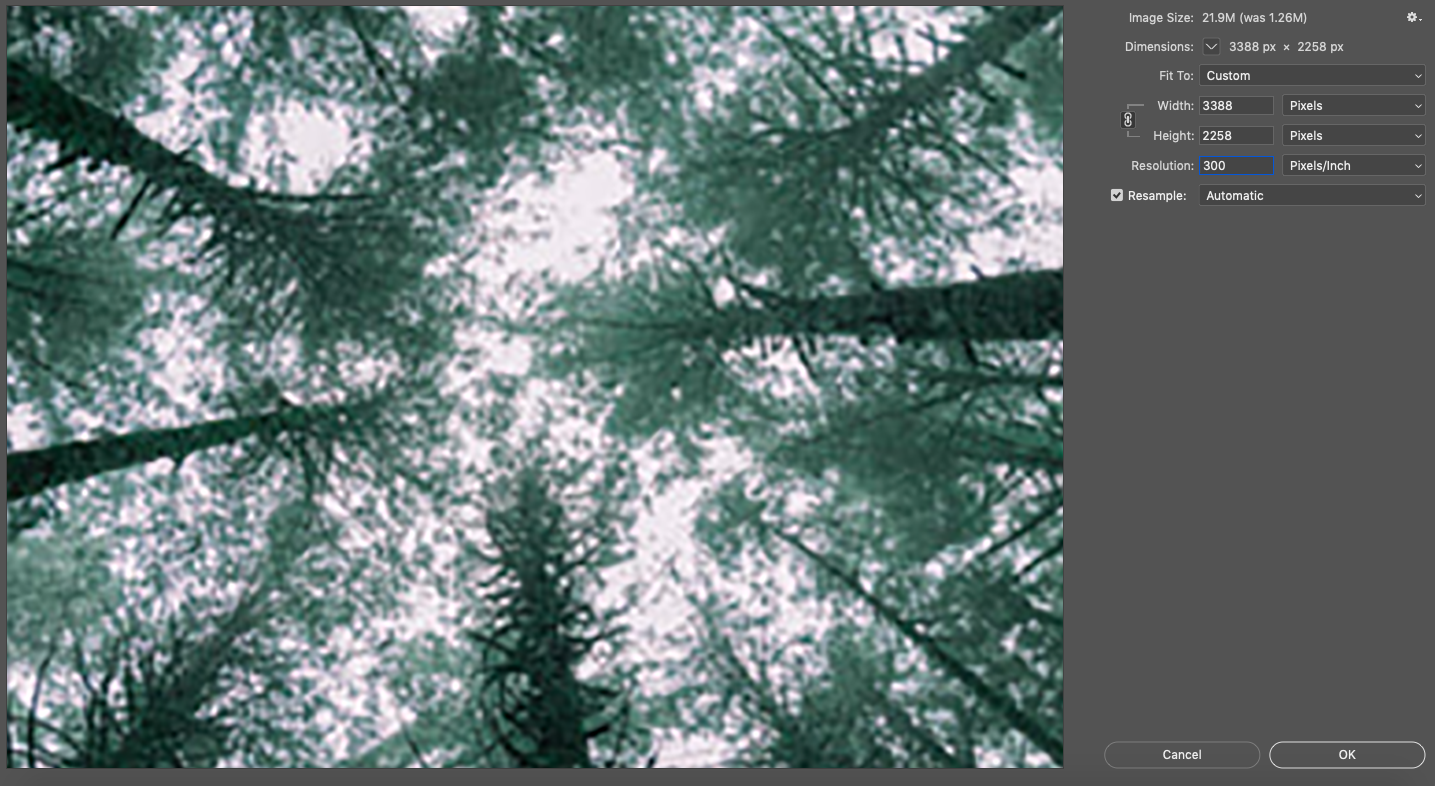
Say you want to increase the resolution, so you type a new number into the resolution box.

Notice what happens below.

An image being resized in photoshop

Resolution, resizing, and resampling

Not only has your resolution increased in the image above, but your dimensions have also increased as well. You haven’t actually increased the resolution; you’ve just expanded those pixels out. Imagine you have a stretchy polka-dot shirt. If you lay it flat, the dots are close together. If you stretch it, those dots get farther apart as the edges of the shirt extend further out. That’s how it works with pixels and resizing.

Because the resample button is checked in our dialogue box (it will usually be this way by default), Photoshop filled in those pixel gaps for us. But because your computer does not have the actual scene to compare your image to, it can only make an educated guess at what the new pixels should look like. When you resize without resampling, Photoshop will not fill those gaps; it will simply change the resolution to match your resizing.

That’s how issues like fuzziness occur when you enlarge what was originally a razor-sharp photo and because of that, it’s easier to retain good quality when you’re making an image smaller than when you are making it bigger. However, when you make an image smaller, you may be inadvertently deleting some of that pixel information, which means you might still experience a loss of quality if you try to size back up again.

Preserving image quality

In the case of this particular photo, the loss of image quality would barely be noticeable since it had a healthy number of pixels to start with. You may find yourself in a position where you have to make changes like this in order to meet an upload or printing requirement with an image, so do two things to keep image degradation from becoming noticeable to the naked eye:

1. Shoot at a high resolution
This way, you give yourself plenty of information to work with in case you ever have to “fudge” the numbers on your resolution in post-processing.

2. Keep a copy of your original
If you ever make a change and later discover that the quality doesn’t hold up the way it appeared to on your editing screen, you can go back to the drawing board with your original pixel density.

How to choose the right image size

When you are determining how to size your image, start with the dimensions. The first step is to use the correct unit of measurement. If you will be printing your photo, measure in inches or centimeters. This will be especially helpful if you want to mat and/or frame it, as you can simply choose a standard size like 5×7, 8×10, or 11×14 and go from there.

Remember that different standard sizes have different aspect ratios. So if your image has an aspect ratio of 3:2 (remember, that’s a 4×6 inch photo), you will experience some cropping if you resize it to an 8×10, which has an aspect ratio of 5:4.

How to choose the right image resolution

After your in-camera focus settings, your resolution is what ultimately determines the sharpness of your image. The standard for web-based images is 72 PPI (or DPI, depending on who you speak with about it), although many photographers choose to go with 300, which is the standard for a high-resolution print image.

Now that you’ve learned what to do in Photoshop to resize your images, and how to do it without sacrificing quality, you can easily resize your photography for use on the web or in print. Remember to use the correct resolution for your medium and shoot at a high resolution to allow yourself plenty of flexibility when you are ready to resize.

Not on 500px yet? Sign up here to explore more impactful photography.

The post Pixels to Inches: How to Resize Images Without Losing Quality in Photoshop appeared first on 500px.

[NDN/ccn/comedia Links]

Friday, November 10, 2023

Landscape Photography | 23 Actionable Tips To Stir Emotions

Landscape photography may be a popular subject among photographers, but it takes a lot of mastery, patience, and a certain frame of mind to capture imagery that will really stir the viewers’ emotions and minds.

Just ask photographer Iurie Belegurschi, whose own jaw-dropping landscapes never fail to amaze us. In this 500px ISO exclusive, Iurie shares his personal tips that will help you improve your landscape photography from scouting locations to gear recommendations.

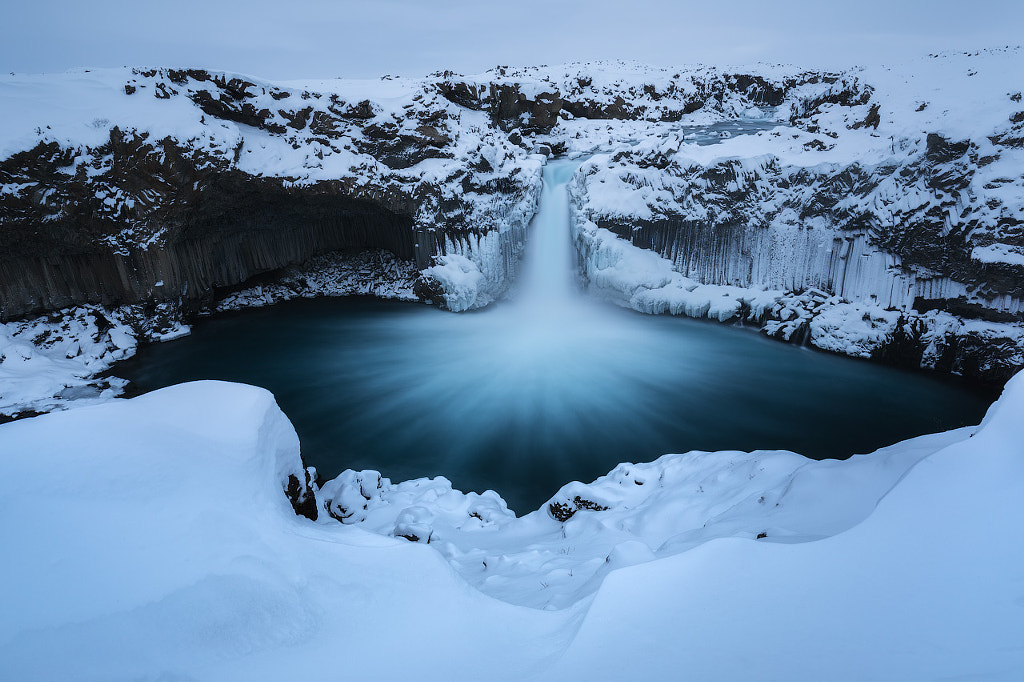
Frozen Aldeyjarfoss by Iurie Belegurschi on 500px.com

Scroll down for a Q&A with Iurie—followed by his photos and a list of 23 helpful tips!

Q&A WITH IURIE ON LANDSCAPE PHOTOGRAPHY

Hi Iurie! Please introduce yourself to our readers.
IURIE BELEGURSCHI:
I’m originally from Moldova. I moved permanently to Iceland in 2006. I work full-time as a professional landscape photographer. I also run photo tours and workshops in Iceland and around the world. My work has been published in major newspapers, magazines, books, and calendars worldwide. My two passions in life are photography and traveling.

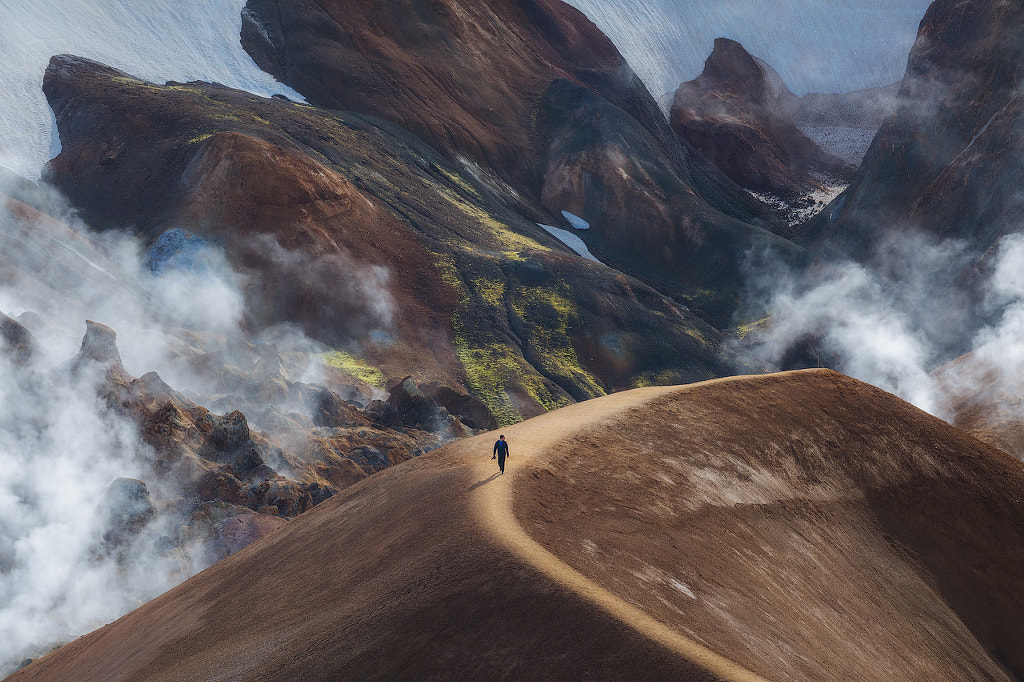
Steamy Kerlingarfjoll by Iurie Belegurschi on 500px.com

How did you discover photography and how long have you been doing this?
IURIE:
I have been shooting for many years, but I got serious about my photography five years ago.

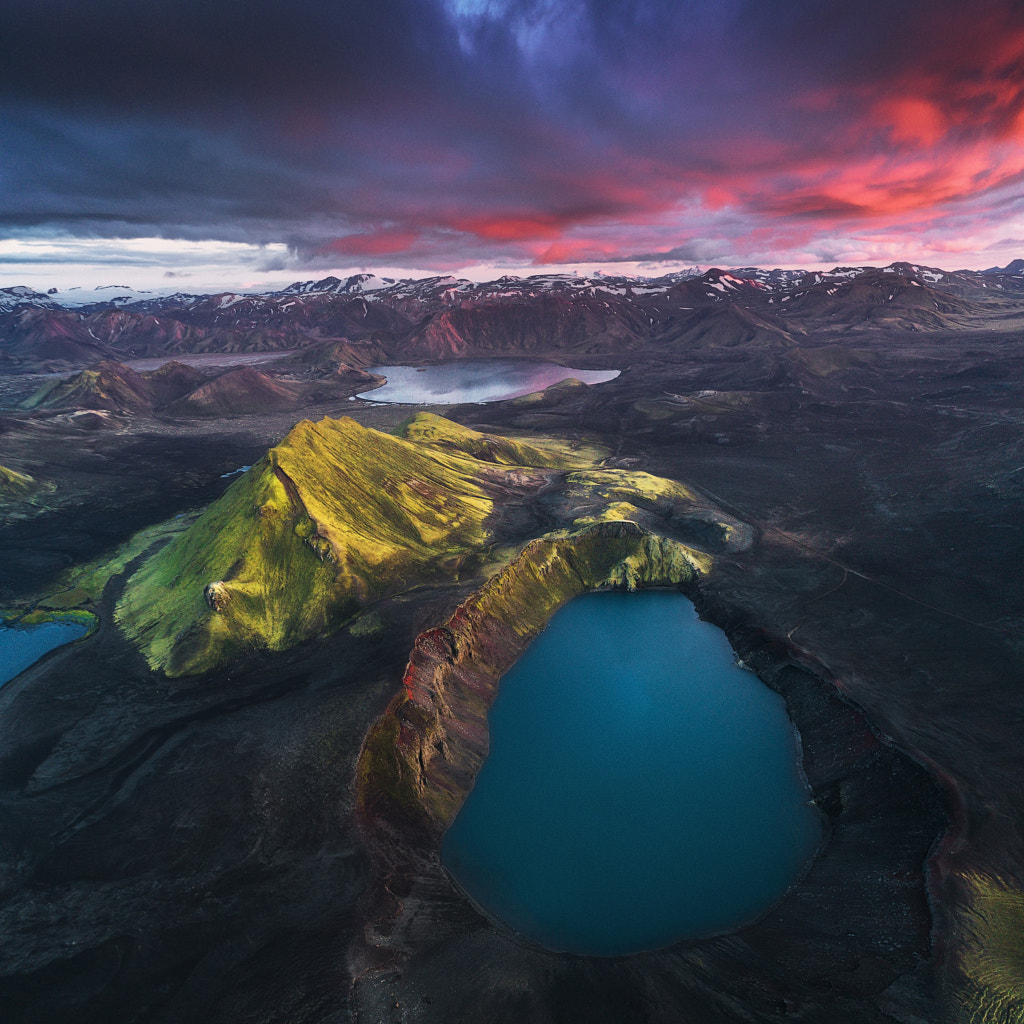
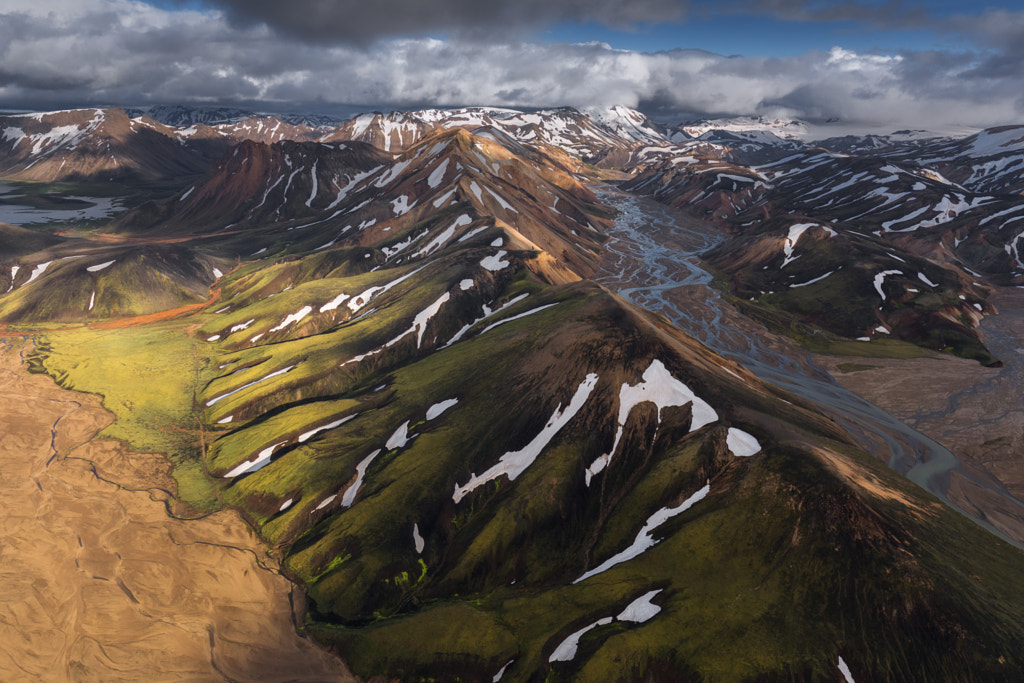
Icelandic Highlands by Drone by Iurie Belegurschi on 500px.com

As a landscape and travel photographer, how much time do you spend out in the field?
IURIE:
I do mostly tours and workshops in Iceland, Norway, and Greenland, so I am outdoors 90% of the time, shooting with my guests. Sometimes, I go out and take photos on my own during my free time, but that is very seldom. I’m making it a point now to travel at least three to four times a year—my last one being in New Zealand last April.

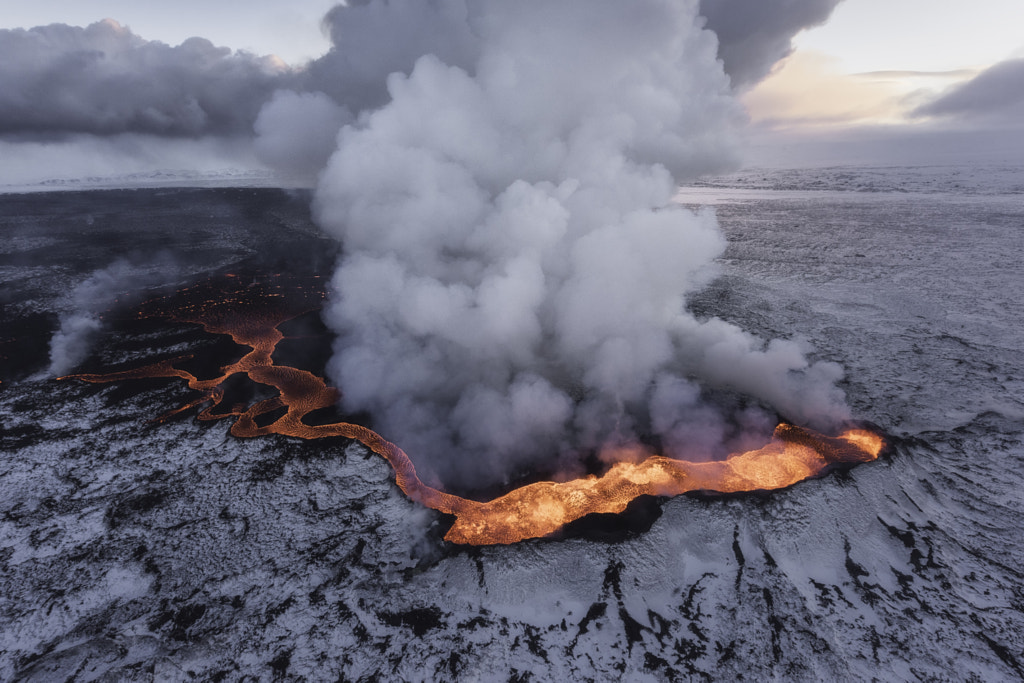
Iceland is Hot by Iurie Belegurschi on 500px.com

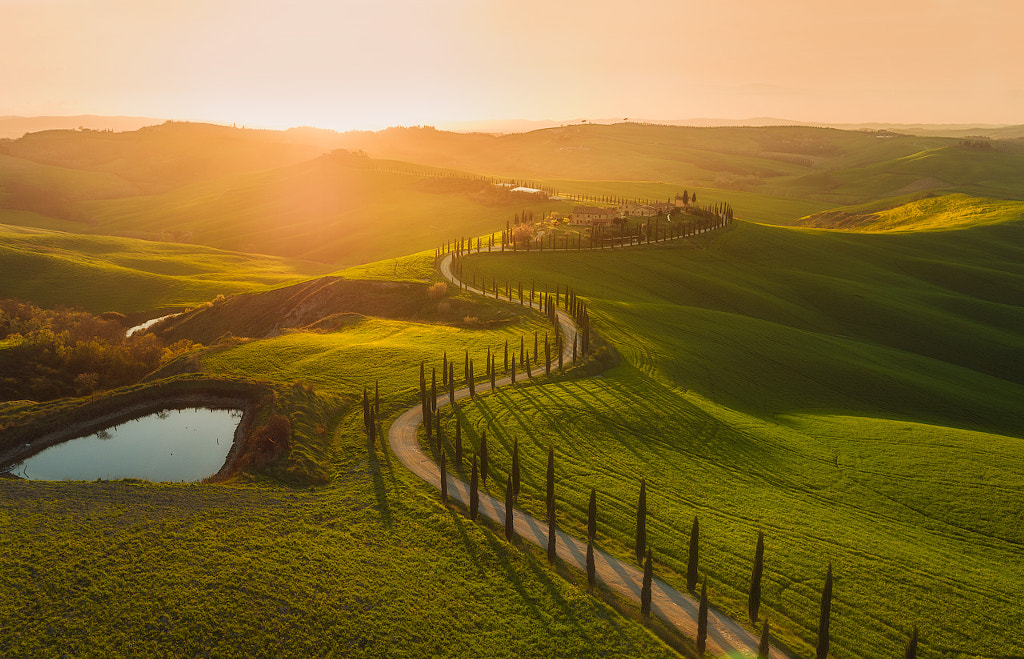
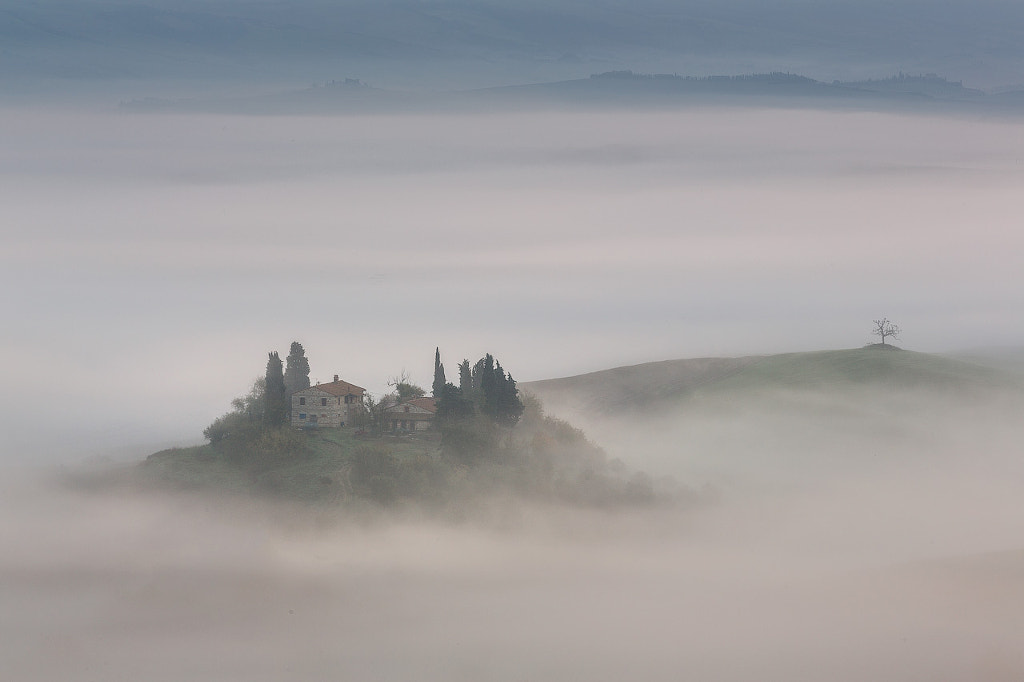
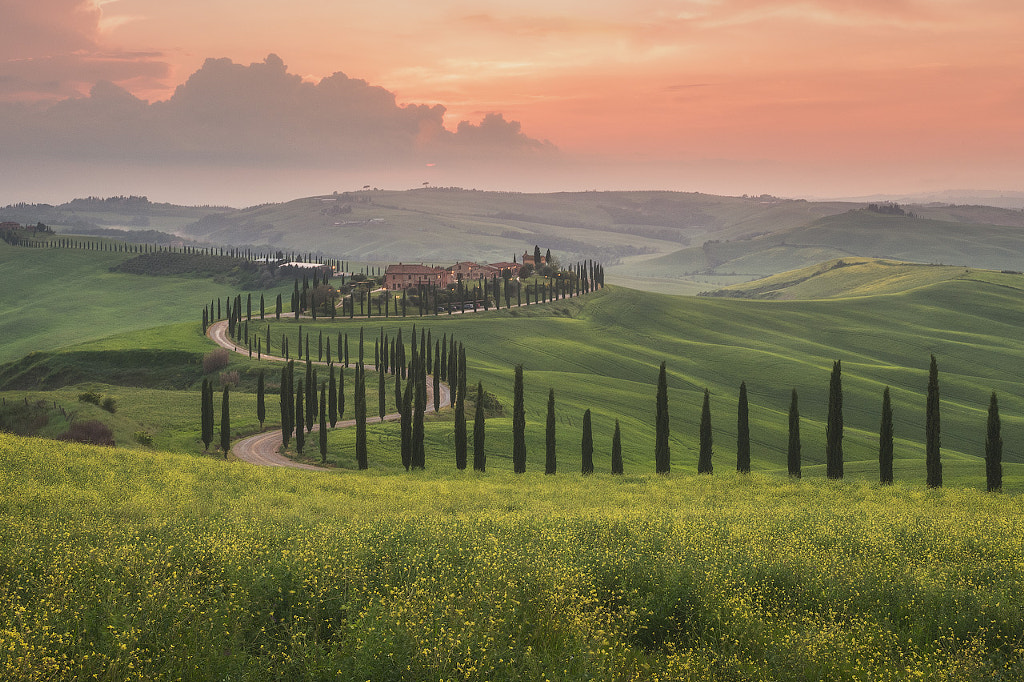
The Rolling Hills of Tuscany by Iurie Belegurschi on 500px.com

Your landscape images are otherworldly, but still grounded in the natural world. What type of subjects do you enjoy shooting the most?
IURIE:
Icelandic landscapes, of course! I love winterscapes, snow-covered mountains, icy lakes, waterfalls, glaciers, and ice caves. I like night photography the most—shooting the Milky Way, stars, and the Northern Lights. It gives me a sense of fulfillment and peace when I’m outdoors at night, capturing what is relatively hard to fully see with the naked eye.

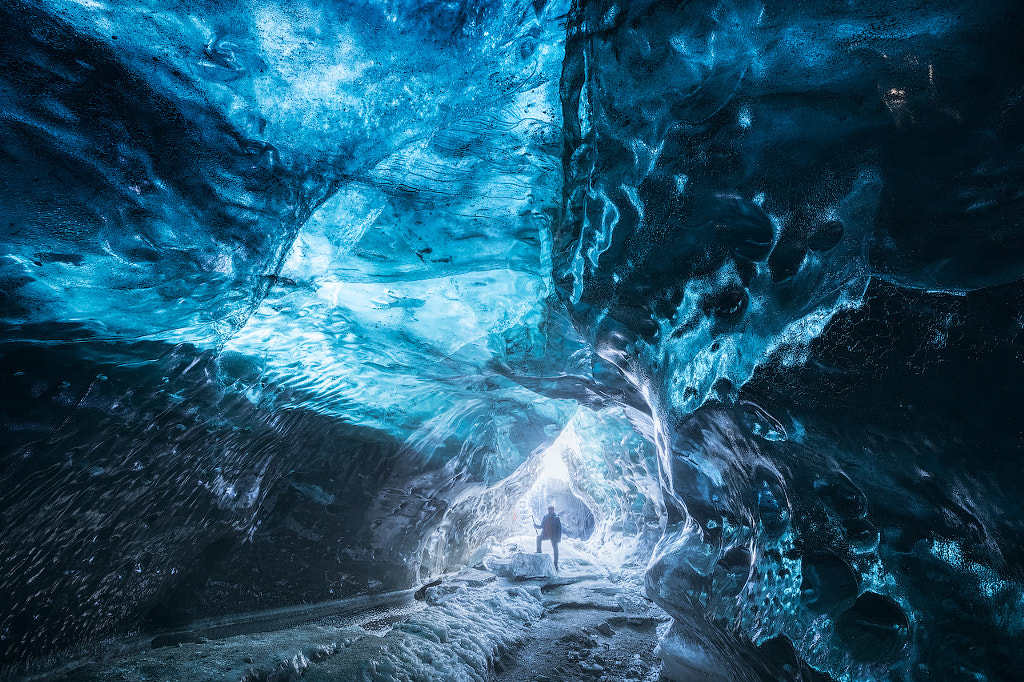
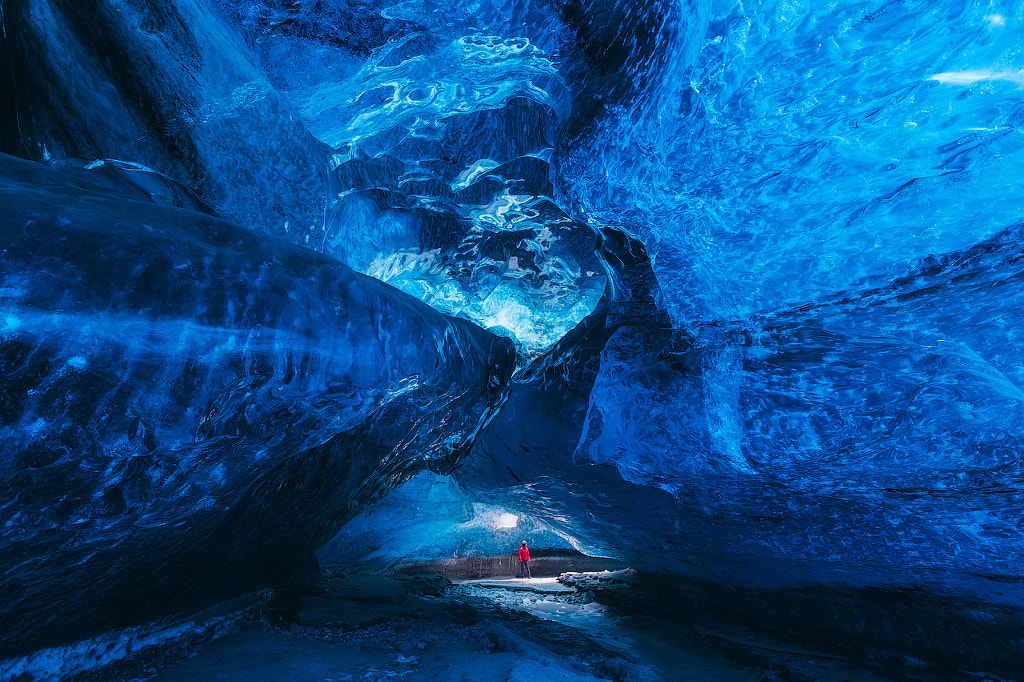
Blue Ice Cave by Iurie Belegurschi on 500px.com

Mothership by Iurie Belegurschi on 500px.com

What about Iceland do you find the most fascinating, and what makes it different from the landscape of other countries?
IURIE:
Iceland is a photographer’s paradise, truly “the land of ice and fire”. We have amazing waterfalls all around the country—volcanoes, glaciers, mountain ranges, rivers, lakes, black sand beaches, rocky coastlines, and more. When you combine this with the Northern Lights in winter and the Midnight Sun in summer, the creative possibilities are endless.

Far Away in the Clouds by Iurie Belegurschi on 500px.com

In all your years of experience, what has been the most difficult terrain or weather condition to shoot?
IURIE:
Definitely mountains and winter. You have to deal with lots of hiking, elevated to get to vantage points from the top. Bringing your gear and the weight of the clothes you wear to keep yourself warm is challenging. You have to be physically and mentally fit to be able to keep doing it. I have been shooting as well in sandstorms, windstorms, and blizzards—those are always a challenge.

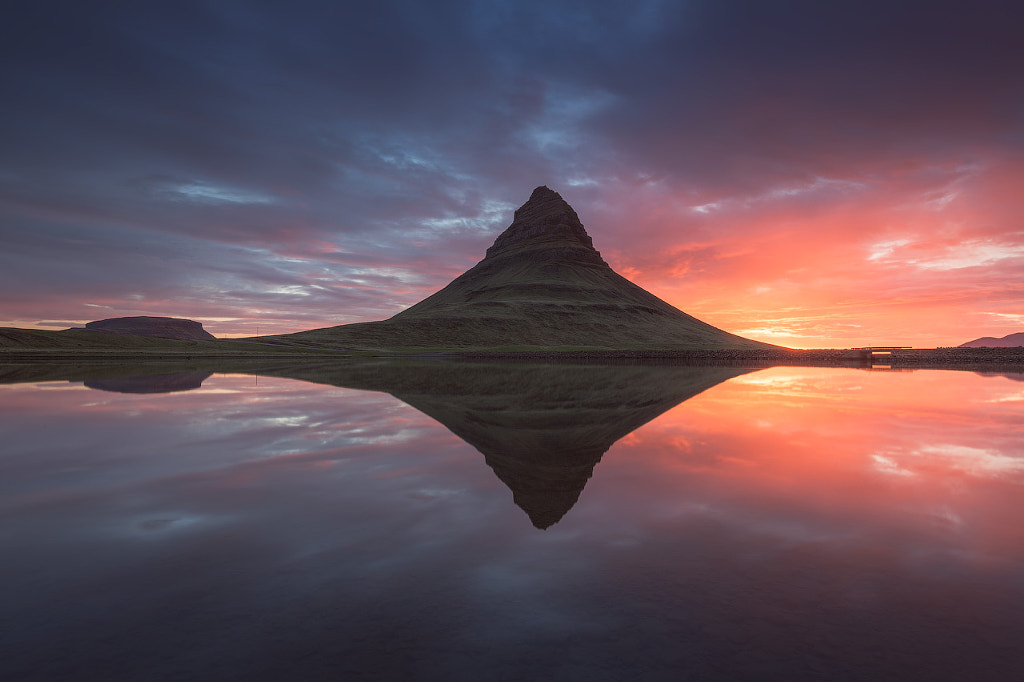
Reflection of Kirkjufell by Iurie Belegurschi on 500px.com

What’s the photograph that you are the most proud of?
IURIE:
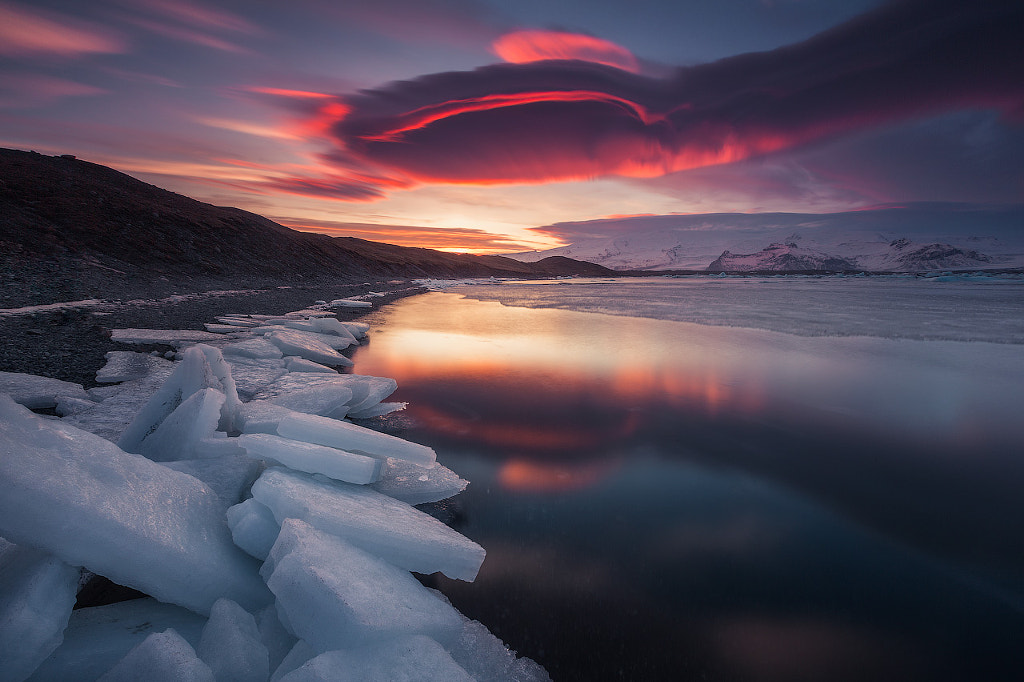
I was guiding a workshop. We had been stuck due to bad weather, but we were planning on shooting at a glacier lagoon. I really wanted everyone to get a great sunset shot, as it was near the end of our trip. So, I took a risk and drove through a major sandstorm to get there. As we arrived, I could see that soon the sky would be on fire. We quickly set up. The result was this photo, which is one of my all-time favorites.

landscape photography -Blue Ice Cave by Iurie Belegurschi on 500px.com

IURIE’S TIPS FOR SHOOTING LANDSCAPE PHOTOGRAPHY

1. Start with a vision of you want to achieve as a landscape photographer.
2. Quality is better than quantity when it comes to landscape photography.
3. Keep yourself motivated. You will realize that landscape photography is not easy—the weather, the hiking, getting the best conditions for the shot or mood you want.
4. Look to others’ work for inspiration, and keep on learning. It never stops.

Above the Highlands by Iurie Belegurschi on 500px.com

CHOOSING A LOCATION FOR LANDSCAPE PHOTOS

5. Be prepared and plan ahead for location. Consider the direction or state of the sun and moon.
6. I always look for leading lines, a good foreground, angle of view to the subject, direction of the natural light, and the direction of the moon if there is one.
7. Visit your locations ahead of time, and scout for other vantage points. You may find something that takes a bit more effort and time to reach, and you may not make it if you arrive on the dot.

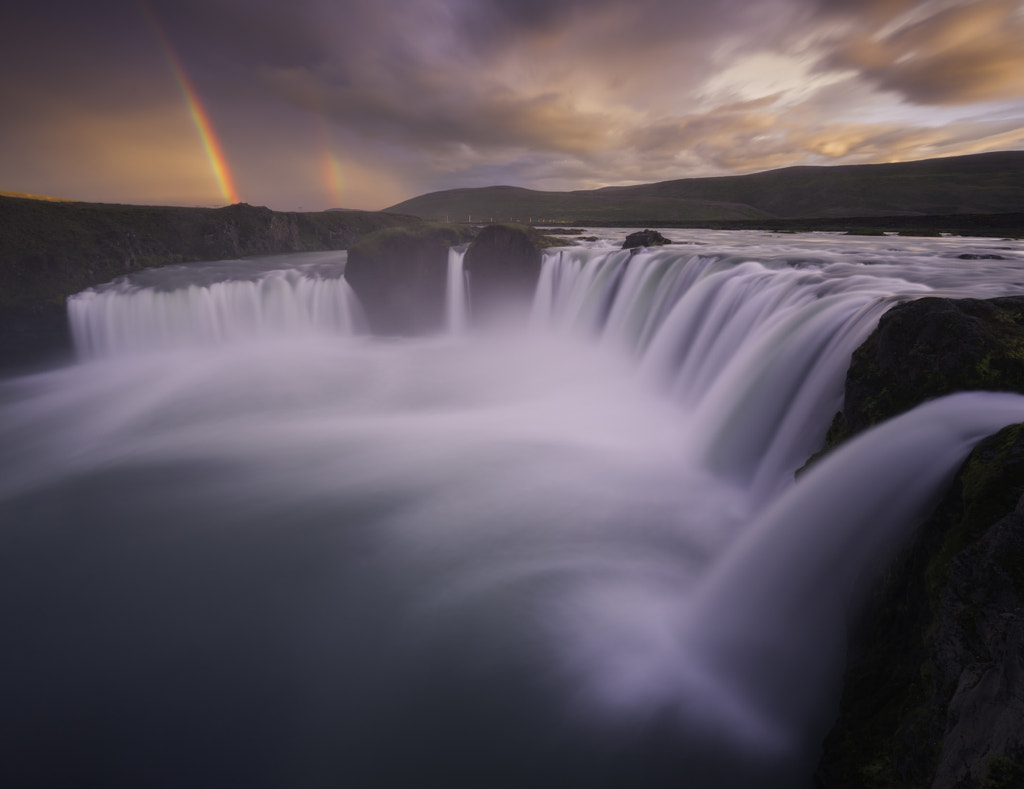
Thunderous Fall of the Gods by Iurie Belegurschi on 500px.com

8. When you arrive at your scene, don’t rush your shots. Take 5 minutes to “see” the scene, and then form your shooting plan.
9. Get to your location early and stay there late.
10. I see photographers shooting for one hour during sunset from the same spot with same composition. Get up, move around, change your direction, change your focal length, and shoot different photos.
11. When you are shooting seascapes, always take a look at the tides before you visit. Some places are better shot in high tide, some in low tide.
12. For seascapes, also take note of the prevailing tide swells in the sea.

Steamy Kerlingarfjoll by Iurie Belegurschi on 500px.com

TIPS ON ON THE BEST TIME TO SHOOT

13. I prefer to take my photos at 12 o’clock noon—okay, I’m kidding! You cannot get the very best results without missing some sleep. I will get to my location an hour before sunrise or sunset. After sunset, you can find me chasing the Northern Lights!

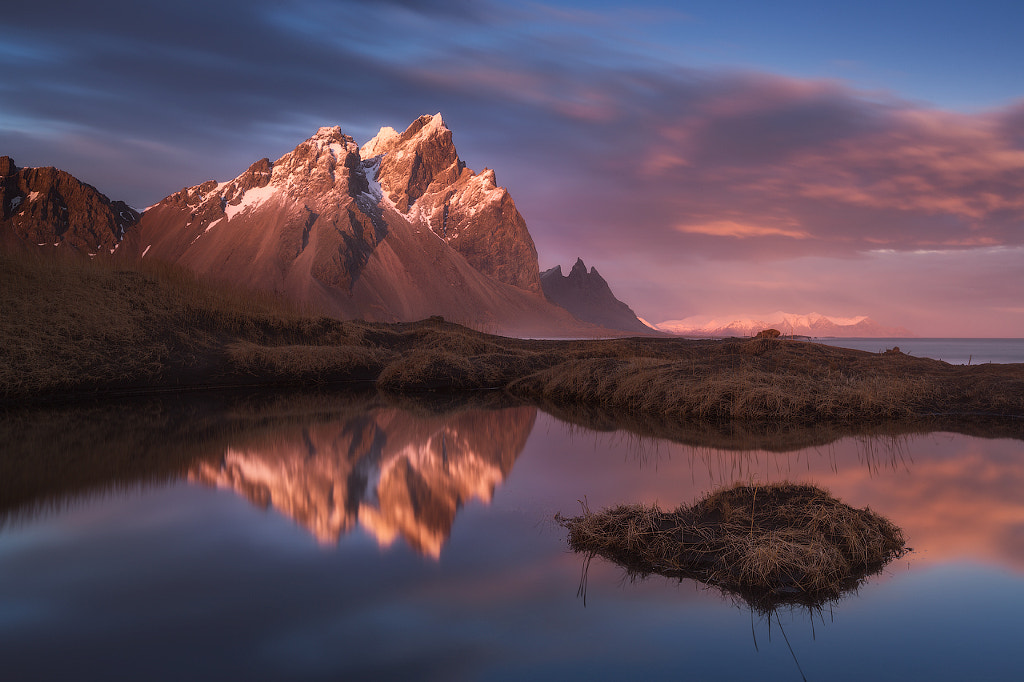
Still Water at Vestrahorn by Iurie Belegurschi on 500px.com

WHAT GEAR AND EQUIPMENT SHOULD I USE FOR LANDSCAPE PHOTOGRAPHY

14. Get a tripod. I see many new photographers with expensive gear, but very flimsy tripods. It is so important to have a very stable tripod and camera mounting system.

The Rolling Hills of Tuscany by Iurie Belegurschi on 500px.com

15. Make sure to check the quality of the gear and filters you use. It is foolish to think that everything can be done and corrected in post.
16. I personally shoot with Canon 5DM III. My second body is Canon 6D.
17. My go-to lens for most of my landscapes is the Canon 16-35 f/2.8 II. My passion is in seeing and capturing the wide-angle, so I use the Canon 16-35 f/2.8 II lens most of the time.
18. At night, I love shooting with the Canon 24 f/1.4 lens.

Aerial View of the Icelandic Highlands by Iurie Belegurschi on 500px.com

19. For the panoramas I have recently started to shoot, I use Really Right Stuff double-row panorama gear on top of my Really Right Stuff tripod, which is an amazing combination.
20. As I do more panoramas, I am experimenting with longer focal lens lengths to gain maximum resolution of my final image.
21. I don’t rely on much more gear, but I am never without a Circular Polarizer and my Lee Filter System.

landscape photography - Mothership by Iurie Belegurschi on 500px.com

POST-PROCESSING TIPS FOR LANDSCAPE PHOTOGRAPHY SHOTS

22. The work is only partially done when you press the shutter. I shoot in RAW and process my photos in Lightroom and Photoshop—it is extremely important.
23. My workflow involves basic moves such as lens correction, chromatic aberration, white balance, and minor tone curve adjustments. From there, it’s very simple. I typically only spend 5-10 minutes finishing an image; mostly, color and exposure adjustments.

Waterfall in the Icelandic Highlands by Iurie Belegurschi on 500px.com


We hope you found Iurie’s tips and thoughts on shooting landscapes helpful.
To see more of his work, follow Iurie Belegurschi on 500px, or thumb up his Facebook Page.

For more information on his photo tours and workshops, visit Winter Photo Workshops, Guide To Iceland, or subscribe to his newsletter.

Running with the Horses by Iurie Belegurschi on 500px.com

Got a question for Iurie? Got your own landscape photography shooting tips, or stories about Iceland and other amazing terrains that you think we should explore?
Tell us all about it in the comments below!

You Might Also Like These Articles:

  • 8 Post-Processing Tips For Creating Beautiful Landscape Photos
  • Best of 2015: Top 10 Landscape Photos
  • Everything You Need to Know About Filters For Landscape Photography
  • Tutorial: Focus Stacking For Landscape Photography

The post Landscape Photography | 23 Actionable Tips To Stir Emotions appeared first on 500px.

[NDN/ccn/comedia Links]